JEFIT Workout Plan Gym Tracker17.2.6
Publisher Description



Get Fit and Strong with JEFIT: Your Reliable Gym Planner and Workout Tracker
JEFIT is the ultimate workout tracker to plan your strength training, log workouts, and track exercise progress.
Whether you want a simple gym log to track your weights and reps, or a smart, AI-guided routine that tells you exactly what to lift next-JEFIT makes your fitness journey easy-no guesswork. Join over 12 million people training smarter with JEFIT -- the free workout tracker, gym log, and strength training planner.
WHAT USERS ARE SAYING
“Really helpful for the gym. gives good suggestions and makes it easy to log and see progress. the calendar view makes it easy to see what you did previous days as well. I will always use a tracker going forward.” - Stuart Norris
“Very useful app. You can create routine program, remember Weights you lifted last time...” - ammarimohamed
“The app is super reliable. I have been using it for over 6 years now. using the suggestions and following the exact form built in to this app, i have made huge progress reducing fat and building muscle” - Amarprit Dhaliwal
“It is exactly what I was looking for. User-friendly. Detailed data entry possible, without being over-complicated.” - VeerleC01
CORE FEATURES
1. SMART LOGGING & WORKOUT PLANNER
. Log your training with an intuitive, easy-to-use, and user-friendly interface
. A library of 1,400+ exercises with HD video instructions and animations to help you nail your form
. Build your own custom workouts and exercises
. Group exercises into supersets, and set a custom rest timer, stopwatch, or countdown for any exercise
. Tag sets as warm-up, working, drop, or failure
. Download and follow the built-in bodybuilding programs
. Add notes and progress photos to any workout
. Start an instant workout anywhere - set your time, equipment, and muscle focus, no fixed gym required
2. PERSONALIZED ADAPTIVE PLAN & PROGRESSIVE OVERLOAD
. Adaptive Plan: a personalized training plan built around your goal, level, and equipment - powered by AI and backed by mesocycle and progressive overload science,so you just follow it, no guesswork,while it adapts every week as you progress
- Built-in AI-powered progressive overload system: JEFIT’s smart AI analyzes your past workout logs to suggest exactly what weight and reps to lift next.
3. DEEP ANALYTICS & PROGRESS TRACKING
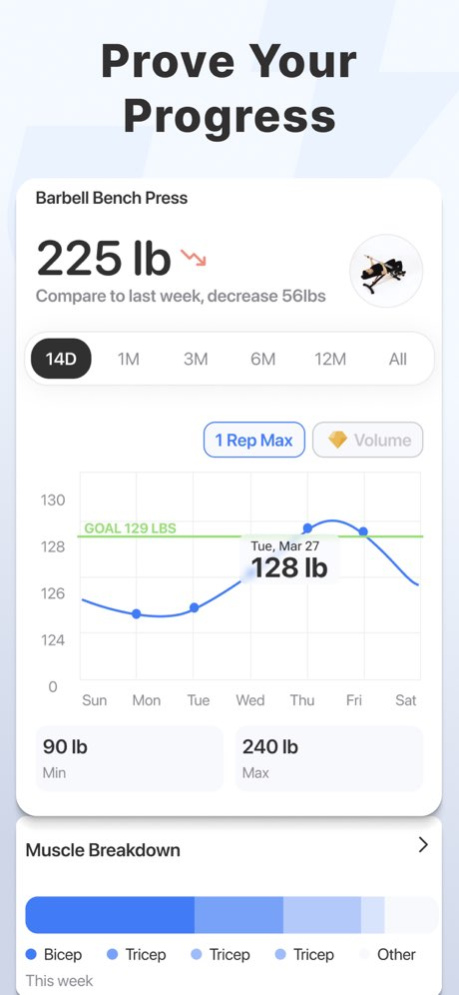
. Track your progress with clear charts for volume, muscle focus, weekly sets per muscle, and movement balance
. Get automatic One Rep Max(1RM) calculation for every exercise to visualize your strength growth
. A detailed muscle map of your training - see what muscles you're focusing on
. See a muscle recovery chart - decides which muscles are ready to train, and which still need rest
. Track body weight, body fat, and measurements - waist, chest, arms, legs, and more
4. APPLE WATCH & iOS INTEGRATION
. Live-sync your workout between JEFIT and your Apple Watch
. Track your heart rate and calories burned as you train
. See your set count and rest timer right on your lock screen
. Add a widget to jump straight into today's workout
JEFIT ELITE
Upgrade to JEFIT Elite to unlock our most powerful, science-backed training tools designed to accelerate your results:
. Adaptive AI Coach
. Premium Analytics Dashboard
. Elite Routine Library
. Pro Training Tools
PRICING & SUBSCRIPTION DETAILS:
. Monthly: $12.99 / month
. Yearly: $69.99 / year (Save over 55%)
Payment will be charged to your iTunes Account at confirmation of purchase. Subscriptions automatically renew unless canceled at least 24 hours before the end of the current period. Manage or turn off auto-renewal anytime in your Apple ID Account Settings after purchase.
TERMS AND PRIVACY:
https://www.jefit.com/terms-of-use/
https://www.jefit.com/privacy-policy/
Download JEFIT today to start tracking your progress and crush your fitness goals!
Version History Traditional workouts just got smarter! Set an interval timer on your sets and JEFIT will auto-log each one when the countdown ends, kick off rest, then start the next set automatically — no tapping needed. Your "Continue as" login now syncs via iCloud Keychain, keeping you signed in seamlessly across reinstalls and new devices. Plus a handful of polish fixes along the way. 17.2.6 1d ago Adaptive Plans just got more personal! You can now set a Cardio Finishers preference to include or skip cardio at the end of your sessions, and pick your preferred training split right from the start. Not on an Adaptive Plan yet? A new pop-up makes it easy to jump in. We've also refreshed the ratings popup with a friendly new look, plus a handful of fixes. 17.2.5 6d ago Periodization is now fully live on iOS! Upgrade to Elite or set a routine as your current plan and you'll be walked through a personalized setup — including an equipment check and a "Week 1 is ready" confirmation so you can dive in with confidence. Load progression is smarter too: for assisted exercises, the app now correctly understands that less resistance means harder, keeping your weight targets right on track. 17.2.4 Sep 25 Your interval timer now stays in sync between your phone and Apple Watch during Traditional workouts — start it on either device and the other mirrors it instantly. The solo contest leaderboard is now a clean ranked list showing rank, name, and points. New Adaptive Plan members can pick their training days by day of the week, with workout reminders at 5 PM. Plus a few bug fixes and visual polish. 17.2.3 Sep 23 Your adaptive plan's week preview now shows exactly why exercises were swapped — injury, difficulty, or equipment — grouped by movement pattern in a new update card. The activity feed refreshes instantly when you delete a logged session too. Empty weeks in the weekly review now correctly show No Data, and onboarding is streamlined so new members get to their first workout faster. Plus a handful of bug fixes. 17.2.2 Sep 21 Edit your available weights right from the workout screen — tap ⋯ on any exercise to update your plates or dumbbells and watch planned sets adjust automatically. Adaptive Plans now properly pause weight progressions during deload weeks. Returning users get a "Continue as" shortcut at login, and weight entry now accepts your local decimal separator. Plus a handful of bug fixes. 17.2.1 Sep 16 JEFIT now feels right at home on iOS 26 — enjoy the sleek Liquid Glass design across navigation, sheets, and menus throughout the app. Planning your program just got smoother too: Copy Day and Add a Day are now single streamlined sheets that drop you right where you need to be. Training prescriptions are also more accurate for metric users, and we've squashed a handful of bugs along the way. 17.2.0 Sep 3 Your exercise progress charts now open right where your data lives — no more staring at an empty graph just because you haven't trained that lift in a few weeks. Elite Adaptive Plan members will also see smart edit suggestions across more screens, making it easier to fine-tune your program on the fly. Plus a handful of reliability improvements and bug fixes. 17.1.3 Aug 28 Your Autoplay sessions just got more reliable — workout mode now locks in at the start so the app never accidentally switches you between Autoplay and Traditional mid-session, and an in-progress Autoplay workout picks right back up after a relaunch. Custom exercise images uploaded on the web now appear correctly during workouts and in post-workout sharing, and your warm-up sets stay intact when adaptive phases kick in. Plus a handful of bug fixes. 17.1.2 Aug 26 A reimagined onboarding experience is here — smooth entrance animations, satisfying haptics, and all-new steps that make beginning your fitness journey feel more exciting than ever. Elite members will also notice a more polished Load Progression star and more accurate volume and rep totals in the exercise charts. Plus a handful of bug fixes and reliability improvements. 17.1.1 Aug 21 Your custom training plans just got smarter — DIY plans now support full mesocycle periodization, with JEFIT guiding you through each training phase, progressively adjusting your weights and reps, and celebrating phase completions along the way. Pull-to-refresh on the Discover and Progress tabs is also noticeably snappier. Plus a handful of bug fixes and reliability improvements. 17.1.0 Aug 18 Handful of bug fixes and reliability improvements. 17.0.18 Aug 13 Editing your Adaptive Plan just got smoother! Elite members now see instant confirmation whenever you swap, add, or delete exercises — whether you're mid-workout or wrapping up on the Workout Complete screen. Changes come with a built-in cooldown to keep your plan feeling intentional. Post-workout summary cards also got a polish pass on volume display, plus a handful of reliability fixes. 17.0.17 Aug 11 Sharing your workouts just got a whole lot more fun — you can now scroll through beautiful new share cards including milestone achievements and personal 1RM records, pick your favorite, and post straight to your social apps. The end-workout screen also has a smoother animation, and day order now stays correct when copying or editing your routines. Plus a handful of reliability improvements and bug fixes. 17.0.16 Aug 7 Tapping a workout reminder now drops you straight into your current training plan — no extra taps needed. Load progression status is tracked more accurately so your program updates reflect your real progress, the calendar layout has been refreshed, and unit conversions between feet and meters are dialed in. Plus a handful of bug fixes and reliability improvements along the way. 17.0.15 Jul 28 Adaptive Plans are now available to try free — free users can unlock a personalized training program built around your goals and available equipment with a 7-day trial. Load progressions also stay in sync if you adjust your set count mid-cycle. Swapping exercises during an active workout is smooth again, and you can now remove optional muscle groups from custom exercises. 17.0.14 Jul 8 Adaptive Plans are now available to try free — free users can unlock a personalized training program built around your goals and available equipment with a 7-day trial. Load progressions also stay in sync if you adjust your set count mid-cycle. Swapping exercises during an active workout is smooth again, and you can now remove optional muscle groups from custom exercises. 17.0.13 Jul 3 Adaptive Plans are now available to try free — free users can unlock a personalized training program built around your goals and available equipment with a 7-day trial. Load progressions also stay in sync if you adjust your set count mid-cycle. Swapping exercises during an active workout is smooth again, and you can now remove optional muscle groups from custom exercises. 17.0.12 Jul 2 Creating and editing custom exercises just got a major upgrade! The redesigned flow guides you through building your own movements with smarter equipment selection — secondary options update dynamically based on your primary choice, keeping things clean and relevant. Your exercise guide also refreshes automatically when you save edits. Plus, the interval timer now holds its elapsed time when you tweak the duration mid-session. 17.0.11 Jun 24 The rest and interval timers got a major upgrade — toggle between stopwatch and countdown modes, apply rest time to every set at once, and keep the timer visible in your log button even when the keyboard pops up. Plus a handful of bug fixes. 17.0.10 Jun 23 Injury tracking is more detailed than ever — you can now rate each injury as mild or severe and get timely reminders to check in on your recovery before your next session. The exercise swap tool got a major upgrade with smarter recommendations, injury-aware substitutions, and clearer empty states. New tooltips, day-of-week calendar support, and a handful of bug fixes round out the release. 17.0.9 Jun 9 Handful of bug fixes and reliability improvements. 17.0.8 Jun 8 Interval timers are now built into your workout — set a target time per set, watch it count down, and see logged times alongside your weight and reps. Progressive Overload users get a new guided intro to kick things off. The Swap Exercise sheet now shows a drag handle and dismisses on a tap outside, dark mode got a polish pass, and a handful of bugs were squashed along the way. 17.0.7 May 22 Finishing a training phase just got a lot more satisfying — you'll now see a confetti animation, a session summary, and easy options to start your next phase, bridge week, or create a new plan. We've also added gym equipment weight increments, so you can set preferred weight steps for free weights and machines. Plus a handful of bug fixes. 17.0.6 May 7 Your routine list now sorts by most recently performed and highlights fresh programs with a recency badge, so your go-to workouts are always front and center. Mesocycle plans got a new All Plans button for faster navigation, and the app now remembers your last selected workout day between sessions. Strava syncing is also more reliable, plus a handful of bug fixes along the way. 17.0.5 May 4
About JEFIT Workout Plan Gym Tracker
The company that develops JEFIT Workout Plan Gym Tracker is Jefit Inc.. The latest version released by its developer is 17.2.6.
To install JEFIT Workout Plan Gym Tracker on your iOS device, just click the green Continue To App button above to start the installation process. The app is listed on our website since 2026-10-06 and was downloaded 40 times. We have already checked if the download link is safe, however for your own protection we recommend that you scan the downloaded app with your antivirus. Your antivirus may detect the JEFIT Workout Plan Gym Tracker as malware if the download link is broken.
How to install JEFIT Workout Plan Gym Tracker on your iOS device:
- Click on the Continue To App button on our website. This will redirect you to the App Store.
- Once the JEFIT Workout Plan Gym Tracker is shown in the iTunes listing of your iOS device, you can start its download and installation. Tap on the GET button to the right of the app to start downloading it.
- If you are not logged-in the iOS appstore app, you'll be prompted for your your Apple ID and/or password.
- After JEFIT Workout Plan Gym Tracker is downloaded, you'll see an INSTALL button to the right. Tap on it to start the actual installation of the iOS app.
- Once installation is finished you can tap on the OPEN button to start it. Its icon will also be added to your device home screen.
Program Details
System requirements
Download information
Pricing
Version History
version 17.2.6
posted on 2026-10-06
Version History Traditional workouts just got smarter! Set an interval timer on your sets and JEFIT will auto-log each one when the countdown ends, kick off rest, then start the next set automatically — no tapping needed. Your "Continue as" login now syncs via iCloud Keychain, keeping you signed in seamlessly across reinstalls and new devices. Plus a handful of polish fixes along the way. 17.2.6 1d ago Adaptive Plans just got more personal! You can now set a Cardio Finishers preference to include or skip cardio at the end of your sessions, and pick your preferred training split right from the start. Not on an Adaptive Plan yet? A new pop-up makes it easy to jump in. We've also refreshed the ratings popup with a friendly new look, plus a handful of fixes. 17.2.5 6d ago Periodization is now fully live on iOS! Upgrade to Elite or set a routine as your current plan and you'll be walked through a personalized setup — including an equipment check and a "Week 1 is ready" confirmation so you can dive in with confidence. Load progression is smarter too: for assisted exercises, the app now correctly understands that less resistance means harder, keeping your weight targets right on track. 17.2.4 Sep 25 Your interval timer now stays in sync between your phone and Apple Watch during Traditional workouts — start it on either device and the other mirrors it instantly. The solo contest leaderboard is now a clean ranked list showing rank, name, and points. New Adaptive Plan members can pick their training days by day of the week, with workout reminders at 5 PM. Plus a few bug fixes and visual polish. 17.2.3 Sep 23 Your adaptive plan's week preview now shows exactly why exercises were swapped — injury, difficulty, or equipment — grouped by movement pattern in a new update card. The activity feed refreshes instantly when you delete a logged session too. Empty weeks in the weekly review now correctly show No Data, and onboarding is streamlined so new members get to their first workout faster. Plus a handful of bug fixes. 17.2.2 Sep 21 Edit your available weights right from the workout screen — tap ⋯ on any exercise to update your plates or dumbbells and watch planned sets adjust automatically. Adaptive Plans now properly pause weight progressions during deload weeks. Returning users get a "Continue as" shortcut at login, and weight entry now accepts your local decimal separator. Plus a handful of bug fixes. 17.2.1 Sep 16 JEFIT now feels right at home on iOS 26 — enjoy the sleek Liquid Glass design across navigation, sheets, and menus throughout the app. Planning your program just got smoother too: Copy Day and Add a Day are now single streamlined sheets that drop you right where you need to be. Training prescriptions are also more accurate for metric users, and we've squashed a handful of bugs along the way. 17.2.0 Sep 3 Your exercise progress charts now open right where your data lives — no more staring at an empty graph just because you haven't trained that lift in a few weeks. Elite Adaptive Plan members will also see smart edit suggestions across more screens, making it easier to fine-tune your program on the fly. Plus a handful of reliability improvements and bug fixes. 17.1.3 Aug 28 Your Autoplay sessions just got more reliable — workout mode now locks in at the start so the app never accidentally switches you between Autoplay and Traditional mid-session, and an in-progress Autoplay workout picks right back up after a relaunch. Custom exercise images uploaded on the web now appear correctly during workouts and in post-workout sharing, and your warm-up sets stay intact when adaptive phases kick in. Plus a handful of bug fixes. 17.1.2 Aug 26 A reimagined onboarding experience is here — smooth entrance animations, satisfying haptics, and all-new steps that make beginning your fitness journey feel more exciting than ever. Elite members will also notice a more polished Load Progression star and more accurate volume and rep totals in the exercise charts. Plus a handful of bug fixes and reliability improvements. 17.1.1 Aug 21 Your custom training plans just got smarter — DIY plans now support full mesocycle periodization, with JEFIT guiding you through each training phase, progressively adjusting your weights and reps, and celebrating phase completions along the way. Pull-to-refresh on the Discover and Progress tabs is also noticeably snappier. Plus a handful of bug fixes and reliability improvements. 17.1.0 Aug 18 Handful of bug fixes and reliability improvements. 17.0.18 Aug 13 Editing your Adaptive Plan just got smoother! Elite members now see instant confirmation whenever you swap, add, or delete exercises — whether you're mid-workout or wrapping up on the Workout Complete screen. Changes come with a built-in cooldown to keep your plan feeling intentional. Post-workout summary cards also got a polish pass on volume display, plus a handful of reliability fixes. 17.0.17 Aug 11 Sharing your workouts just got a whole lot more fun — you can now scroll through beautiful new share cards including milestone achievements and personal 1RM records, pick your favorite, and post straight to your social apps. The end-workout screen also has a smoother animation, and day order now stays correct when copying or editing your routines. Plus a handful of reliability improvements and bug fixes. 17.0.16 Aug 7 Tapping a workout reminder now drops you straight into your current training plan — no extra taps needed. Load progression status is tracked more accurately so your program updates reflect your real progress, the calendar layout has been refreshed, and unit conversions between feet and meters are dialed in. Plus a handful of bug fixes and reliability improvements along the way. 17.0.15 Jul 28 Adaptive Plans are now available to try free — free users can unlock a personalized training program built around your goals and available equipment with a 7-day trial. Load progressions also stay in sync if you adjust your set count mid-cycle. Swapping exercises during an active workout is smooth again, and you can now remove optional muscle groups from custom exercises. 17.0.14 Jul 8 Adaptive Plans are now available to try free — free users can unlock a personalized training program built around your goals and available equipment with a 7-day trial. Load progressions also stay in sync if you adjust your set count mid-cycle. Swapping exercises during an active workout is smooth again, and you can now remove optional muscle groups from custom exercises. 17.0.13 Jul 3 Adaptive Plans are now available to try free — free users can unlock a personalized training program built around your goals and available equipment with a 7-day trial. Load progressions also stay in sync if you adjust your set count mid-cycle. Swapping exercises during an active workout is smooth again, and you can now remove optional muscle groups from custom exercises. 17.0.12 Jul 2 Creating and editing custom exercises just got a major upgrade! The redesigned flow guides you through building your own movements with smarter equipment selection — secondary options update dynamically based on your primary choice, keeping things clean and relevant. Your exercise guide also refreshes automatically when you save edits. Plus, the interval timer now holds its elapsed time when you tweak the duration mid-session. 17.0.11 Jun 24 The rest and interval timers got a major upgrade — toggle between stopwatch and countdown modes, apply rest time to every set at once, and keep the timer visible in your log button even when the keyboard pops up. Plus a handful of bug fixes. 17.0.10 Jun 23 Injury tracking is more detailed than ever — you can now rate each injury as mild or severe and get timely reminders to check in on your recovery before your next session. The exercise swap tool got a major upgrade with smarter recommendations, injury-aware substitutions, and clearer empty states. New tooltips, day-of-week calendar support, and a handful of bug fixes round out the release. 17.0.9 Jun 9 Handful of bug fixes and reliability improvements. 17.0.8 Jun 8 Interval timers are now built into your workout — set a target time per set, watch it count down, and see logged times alongside your weight and reps. Progressive Overload users get a new guided intro to kick things off. The Swap Exercise sheet now shows a drag handle and dismisses on a tap outside, dark mode got a polish pass, and a handful of bugs were squashed along the way. 17.0.7 May 22 Finishing a training phase just got a lot more satisfying — you'll now see a confetti animation, a session summary, and easy options to start your next phase, bridge week, or create a new plan. We've also added gym equipment weight increments, so you can set preferred weight steps for free weights and machines. Plus a handful of bug fixes. 17.0.6 May 7 Your routine list now sorts by most recently performed and highlights fresh programs with a recency badge, so your go-to workouts are always front and center. Mesocycle plans got a new All Plans button for faster navigation, and the app now remembers your last selected workout day between sessions. Strava syncing is also more reliable, plus a handful of bug fixes along the way. 17.0.5 May 4
version 17.2.5
posted on 2026-10-03
Version History Adaptive Plans just got more personal! You can now set a Cardio Finishers preference to include or skip cardio at the end of your sessions, and pick your preferred training split right from the start. Not on an Adaptive Plan yet? A new pop-up makes it easy to jump in. We've also refreshed the ratings popup with a friendly new look, plus a handful of fixes. 17.2.5 2d ago Periodization is now fully live on iOS! Upgrade to Elite or set a routine as your current plan and you'll be walked through a personalized setup — including an equipment check and a "Week 1 is ready" confirmation so you can dive in with confidence. Load progression is smarter too: for assisted exercises, the app now correctly understands that less resistance means harder, keeping your weight targets right on track. 17.2.4 Sep 25 Your interval timer now stays in sync between your phone and Apple Watch during Traditional workouts — start it on either device and the other mirrors it instantly. The solo contest leaderboard is now a clean ranked list showing rank, name, and points. New Adaptive Plan members can pick their training days by day of the week, with workout reminders at 5 PM. Plus a few bug fixes and visual polish. 17.2.3 Sep 23 Your adaptive plan's week preview now shows exactly why exercises were swapped — injury, difficulty, or equipment — grouped by movement pattern in a new update card. The activity feed refreshes instantly when you delete a logged session too. Empty weeks in the weekly review now correctly show No Data, and onboarding is streamlined so new members get to their first workout faster. Plus a handful of bug fixes. 17.2.2 Sep 21 Edit your available weights right from the workout screen — tap ⋯ on any exercise to update your plates or dumbbells and watch planned sets adjust automatically. Adaptive Plans now properly pause weight progressions during deload weeks. Returning users get a "Continue as" shortcut at login, and weight entry now accepts your local decimal separator. Plus a handful of bug fixes. 17.2.1 Sep 16 JEFIT now feels right at home on iOS 26 — enjoy the sleek Liquid Glass design across navigation, sheets, and menus throughout the app. Planning your program just got smoother too: Copy Day and Add a Day are now single streamlined sheets that drop you right where you need to be. Training prescriptions are also more accurate for metric users, and we've squashed a handful of bugs along the way. 17.2.0 Sep 3 Your exercise progress charts now open right where your data lives — no more staring at an empty graph just because you haven't trained that lift in a few weeks. Elite Adaptive Plan members will also see smart edit suggestions across more screens, making it easier to fine-tune your program on the fly. Plus a handful of reliability improvements and bug fixes. 17.1.3 Aug 28 Your Autoplay sessions just got more reliable — workout mode now locks in at the start so the app never accidentally switches you between Autoplay and Traditional mid-session, and an in-progress Autoplay workout picks right back up after a relaunch. Custom exercise images uploaded on the web now appear correctly during workouts and in post-workout sharing, and your warm-up sets stay intact when adaptive phases kick in. Plus a handful of bug fixes. 17.1.2 Aug 26 A reimagined onboarding experience is here — smooth entrance animations, satisfying haptics, and all-new steps that make beginning your fitness journey feel more exciting than ever. Elite members will also notice a more polished Load Progression star and more accurate volume and rep totals in the exercise charts. Plus a handful of bug fixes and reliability improvements. 17.1.1 Aug 21 Your custom training plans just got smarter — DIY plans now support full mesocycle periodization, with JEFIT guiding you through each training phase, progressively adjusting your weights and reps, and celebrating phase completions along the way. Pull-to-refresh on the Discover and Progress tabs is also noticeably snappier. Plus a handful of bug fixes and reliability improvements. 17.1.0 Aug 18 Handful of bug fixes and reliability improvements. 17.0.18 Aug 13 Editing your Adaptive Plan just got smoother! Elite members now see instant confirmation whenever you swap, add, or delete exercises — whether you're mid-workout or wrapping up on the Workout Complete screen. Changes come with a built-in cooldown to keep your plan feeling intentional. Post-workout summary cards also got a polish pass on volume display, plus a handful of reliability fixes. 17.0.17 Aug 11 Sharing your workouts just got a whole lot more fun — you can now scroll through beautiful new share cards including milestone achievements and personal 1RM records, pick your favorite, and post straight to your social apps. The end-workout screen also has a smoother animation, and day order now stays correct when copying or editing your routines. Plus a handful of reliability improvements and bug fixes. 17.0.16 Aug 7 Tapping a workout reminder now drops you straight into your current training plan — no extra taps needed. Load progression status is tracked more accurately so your program updates reflect your real progress, the calendar layout has been refreshed, and unit conversions between feet and meters are dialed in. Plus a handful of bug fixes and reliability improvements along the way. 17.0.15 Jul 28 Adaptive Plans are now available to try free — free users can unlock a personalized training program built around your goals and available equipment with a 7-day trial. Load progressions also stay in sync if you adjust your set count mid-cycle. Swapping exercises during an active workout is smooth again, and you can now remove optional muscle groups from custom exercises. 17.0.14 Jul 8 Adaptive Plans are now available to try free — free users can unlock a personalized training program built around your goals and available equipment with a 7-day trial. Load progressions also stay in sync if you adjust your set count mid-cycle. Swapping exercises during an active workout is smooth again, and you can now remove optional muscle groups from custom exercises. 17.0.13 Jul 3 Adaptive Plans are now available to try free — free users can unlock a personalized training program built around your goals and available equipment with a 7-day trial. Load progressions also stay in sync if you adjust your set count mid-cycle. Swapping exercises during an active workout is smooth again, and you can now remove optional muscle groups from custom exercises. 17.0.12 Jul 2 Creating and editing custom exercises just got a major upgrade! The redesigned flow guides you through building your own movements with smarter equipment selection — secondary options update dynamically based on your primary choice, keeping things clean and relevant. Your exercise guide also refreshes automatically when you save edits. Plus, the interval timer now holds its elapsed time when you tweak the duration mid-session. 17.0.11 Jun 24 The rest and interval timers got a major upgrade — toggle between stopwatch and countdown modes, apply rest time to every set at once, and keep the timer visible in your log button even when the keyboard pops up. Plus a handful of bug fixes. 17.0.10 Jun 23 Injury tracking is more detailed than ever — you can now rate each injury as mild or severe and get timely reminders to check in on your recovery before your next session. The exercise swap tool got a major upgrade with smarter recommendations, injury-aware substitutions, and clearer empty states. New tooltips, day-of-week calendar support, and a handful of bug fixes round out the release. 17.0.9 Jun 9 Handful of bug fixes and reliability improvements. 17.0.8 Jun 8 Interval timers are now built into your workout — set a target time per set, watch it count down, and see logged times alongside your weight and reps. Progressive Overload users get a new guided intro to kick things off. The Swap Exercise sheet now shows a drag handle and dismisses on a tap outside, dark mode got a polish pass, and a handful of bugs were squashed along the way. 17.0.7 May 22 Finishing a training phase just got a lot more satisfying — you'll now see a confetti animation, a session summary, and easy options to start your next phase, bridge week, or create a new plan. We've also added gym equipment weight increments, so you can set preferred weight steps for free weights and machines. Plus a handful of bug fixes. 17.0.6 May 7 Your routine list now sorts by most recently performed and highlights fresh programs with a recency badge, so your go-to workouts are always front and center. Mesocycle plans got a new All Plans button for faster navigation, and the app now remembers your last selected workout day between sessions. Strava syncing is also more reliable, plus a handful of bug fixes along the way. 17.0.5 May 4 Strava syncing has been improved so your workouts flow more smoothly between JEFIT and your fitness ecosystem. The app now remembers your last selected workout day, so you always pick up right where you left off. Mesocycle plans get a new All Plans button on the routine banner, and progression plans now automatically advance to the next day when you finish a workout. Plus a handful of bug fixes. 17.0.4 Apr 30
version 17.2.4
posted on 2026-09-26
Version History Periodization is now fully live on iOS! Upgrade to Elite or set a routine as your current plan and you'll be walked through a personalized setup — including an equipment check and a "Week 1 is ready" confirmation so you can dive in with confidence. Load progression is smarter too: for assisted exercises, the app now correctly understands that less resistance means harder, keeping your weight targets right on track. 17.2.4 10h ago Your interval timer now stays in sync between your phone and Apple Watch during Traditional workouts — start it on either device and the other mirrors it instantly. The solo contest leaderboard is now a clean ranked list showing rank, name, and points. New Adaptive Plan members can pick their training days by day of the week, with workout reminders at 5 PM. Plus a few bug fixes and visual polish. 17.2.3 2d ago Your adaptive plan's week preview now shows exactly why exercises were swapped — injury, difficulty, or equipment — grouped by movement pattern in a new update card. The activity feed refreshes instantly when you delete a logged session too. Empty weeks in the weekly review now correctly show No Data, and onboarding is streamlined so new members get to their first workout faster. Plus a handful of bug fixes. 17.2.2 4d ago Edit your available weights right from the workout screen — tap ⋯ on any exercise to update your plates or dumbbells and watch planned sets adjust automatically. Adaptive Plans now properly pause weight progressions during deload weeks. Returning users get a "Continue as" shortcut at login, and weight entry now accepts your local decimal separator. Plus a handful of bug fixes. 17.2.1 Sep 16 JEFIT now feels right at home on iOS 26 — enjoy the sleek Liquid Glass design across navigation, sheets, and menus throughout the app. Planning your program just got smoother too: Copy Day and Add a Day are now single streamlined sheets that drop you right where you need to be. Training prescriptions are also more accurate for metric users, and we've squashed a handful of bugs along the way. 17.2.0 Sep 3 Your exercise progress charts now open right where your data lives — no more staring at an empty graph just because you haven't trained that lift in a few weeks. Elite Adaptive Plan members will also see smart edit suggestions across more screens, making it easier to fine-tune your program on the fly. Plus a handful of reliability improvements and bug fixes. 17.1.3 Aug 28 Your Autoplay sessions just got more reliable — workout mode now locks in at the start so the app never accidentally switches you between Autoplay and Traditional mid-session, and an in-progress Autoplay workout picks right back up after a relaunch. Custom exercise images uploaded on the web now appear correctly during workouts and in post-workout sharing, and your warm-up sets stay intact when adaptive phases kick in. Plus a handful of bug fixes. 17.1.2 Aug 26 A reimagined onboarding experience is here — smooth entrance animations, satisfying haptics, and all-new steps that make beginning your fitness journey feel more exciting than ever. Elite members will also notice a more polished Load Progression star and more accurate volume and rep totals in the exercise charts. Plus a handful of bug fixes and reliability improvements. 17.1.1 Aug 21 Your custom training plans just got smarter — DIY plans now support full mesocycle periodization, with JEFIT guiding you through each training phase, progressively adjusting your weights and reps, and celebrating phase completions along the way. Pull-to-refresh on the Discover and Progress tabs is also noticeably snappier. Plus a handful of bug fixes and reliability improvements. 17.1.0 Aug 18 Handful of bug fixes and reliability improvements. 17.0.18 Aug 13 Editing your Adaptive Plan just got smoother! Elite members now see instant confirmation whenever you swap, add, or delete exercises — whether you're mid-workout or wrapping up on the Workout Complete screen. Changes come with a built-in cooldown to keep your plan feeling intentional. Post-workout summary cards also got a polish pass on volume display, plus a handful of reliability fixes. 17.0.17 Aug 11 Sharing your workouts just got a whole lot more fun — you can now scroll through beautiful new share cards including milestone achievements and personal 1RM records, pick your favorite, and post straight to your social apps. The end-workout screen also has a smoother animation, and day order now stays correct when copying or editing your routines. Plus a handful of reliability improvements and bug fixes. 17.0.16 Aug 7 Tapping a workout reminder now drops you straight into your current training plan — no extra taps needed. Load progression status is tracked more accurately so your program updates reflect your real progress, the calendar layout has been refreshed, and unit conversions between feet and meters are dialed in. Plus a handful of bug fixes and reliability improvements along the way. 17.0.15 Jul 28 Adaptive Plans are now available to try free — free users can unlock a personalized training program built around your goals and available equipment with a 7-day trial. Load progressions also stay in sync if you adjust your set count mid-cycle. Swapping exercises during an active workout is smooth again, and you can now remove optional muscle groups from custom exercises. 17.0.14 Jul 8 Adaptive Plans are now available to try free — free users can unlock a personalized training program built around your goals and available equipment with a 7-day trial. Load progressions also stay in sync if you adjust your set count mid-cycle. Swapping exercises during an active workout is smooth again, and you can now remove optional muscle groups from custom exercises. 17.0.13 Jul 3 Adaptive Plans are now available to try free — free users can unlock a personalized training program built around your goals and available equipment with a 7-day trial. Load progressions also stay in sync if you adjust your set count mid-cycle. Swapping exercises during an active workout is smooth again, and you can now remove optional muscle groups from custom exercises. 17.0.12 Jul 2 Creating and editing custom exercises just got a major upgrade! The redesigned flow guides you through building your own movements with smarter equipment selection — secondary options update dynamically based on your primary choice, keeping things clean and relevant. Your exercise guide also refreshes automatically when you save edits. Plus, the interval timer now holds its elapsed time when you tweak the duration mid-session. 17.0.11 Jun 24 The rest and interval timers got a major upgrade — toggle between stopwatch and countdown modes, apply rest time to every set at once, and keep the timer visible in your log button even when the keyboard pops up. Plus a handful of bug fixes. 17.0.10 Jun 23 Injury tracking is more detailed than ever — you can now rate each injury as mild or severe and get timely reminders to check in on your recovery before your next session. The exercise swap tool got a major upgrade with smarter recommendations, injury-aware substitutions, and clearer empty states. New tooltips, day-of-week calendar support, and a handful of bug fixes round out the release. 17.0.9 Jun 9 Handful of bug fixes and reliability improvements. 17.0.8 Jun 8 Interval timers are now built into your workout — set a target time per set, watch it count down, and see logged times alongside your weight and reps. Progressive Overload users get a new guided intro to kick things off. The Swap Exercise sheet now shows a drag handle and dismisses on a tap outside, dark mode got a polish pass, and a handful of bugs were squashed along the way. 17.0.7 May 22 Finishing a training phase just got a lot more satisfying — you'll now see a confetti animation, a session summary, and easy options to start your next phase, bridge week, or create a new plan. We've also added gym equipment weight increments, so you can set preferred weight steps for free weights and machines. Plus a handful of bug fixes. 17.0.6 May 7 Your routine list now sorts by most recently performed and highlights fresh programs with a recency badge, so your go-to workouts are always front and center. Mesocycle plans got a new All Plans button for faster navigation, and the app now remembers your last selected workout day between sessions. Strava syncing is also more reliable, plus a handful of bug fixes along the way. 17.0.5 May 4 Strava syncing has been improved so your workouts flow more smoothly between JEFIT and your fitness ecosystem. The app now remembers your last selected workout day, so you always pick up right where you left off. Mesocycle plans get a new All Plans button on the routine banner, and progression plans now automatically advance to the next day when you finish a workout. Plus a handful of bug fixes. 17.0.4 Apr 30 Bug fixes and performance improvements. 17.0.3 Apr 28
version 17.2.1
posted on 2026-09-19
Version History Edit your available weights right from the workout screen — tap ⋯ on any exercise to update your plates or dumbbells and watch planned sets adjust automatically. Adaptive Plans now properly pause weight progressions during deload weeks. Returning users get a "Continue as" shortcut at login, and weight entry now accepts your local decimal separator. Plus a handful of bug fixes. 17.2.1 2d ago JEFIT now feels right at home on iOS 26 — enjoy the sleek Liquid Glass design across navigation, sheets, and menus throughout the app. Planning your program just got smoother too: Copy Day and Add a Day are now single streamlined sheets that drop you right where you need to be. Training prescriptions are also more accurate for metric users, and we've squashed a handful of bugs along the way. 17.2.0 Sep 3 Your exercise progress charts now open right where your data lives — no more staring at an empty graph just because you haven't trained that lift in a few weeks. Elite Adaptive Plan members will also see smart edit suggestions across more screens, making it easier to fine-tune your program on the fly. Plus a handful of reliability improvements and bug fixes. 17.1.3 Aug 28 Your Autoplay sessions just got more reliable — workout mode now locks in at the start so the app never accidentally switches you between Autoplay and Traditional mid-session, and an in-progress Autoplay workout picks right back up after a relaunch. Custom exercise images uploaded on the web now appear correctly during workouts and in post-workout sharing, and your warm-up sets stay intact when adaptive phases kick in. Plus a handful of bug fixes. 17.1.2 Aug 26 A reimagined onboarding experience is here — smooth entrance animations, satisfying haptics, and all-new steps that make beginning your fitness journey feel more exciting than ever. Elite members will also notice a more polished Load Progression star and more accurate volume and rep totals in the exercise charts. Plus a handful of bug fixes and reliability improvements. 17.1.1 Aug 21 Your custom training plans just got smarter — DIY plans now support full mesocycle periodization, with JEFIT guiding you through each training phase, progressively adjusting your weights and reps, and celebrating phase completions along the way. Pull-to-refresh on the Discover and Progress tabs is also noticeably snappier. Plus a handful of bug fixes and reliability improvements. 17.1.0 Aug 18 Handful of bug fixes and reliability improvements. 17.0.18 Aug 13 Editing your Adaptive Plan just got smoother! Elite members now see instant confirmation whenever you swap, add, or delete exercises — whether you're mid-workout or wrapping up on the Workout Complete screen. Changes come with a built-in cooldown to keep your plan feeling intentional. Post-workout summary cards also got a polish pass on volume display, plus a handful of reliability fixes. 17.0.17 Aug 11 Sharing your workouts just got a whole lot more fun — you can now scroll through beautiful new share cards including milestone achievements and personal 1RM records, pick your favorite, and post straight to your social apps. The end-workout screen also has a smoother animation, and day order now stays correct when copying or editing your routines. Plus a handful of reliability improvements and bug fixes. 17.0.16 Aug 7 Tapping a workout reminder now drops you straight into your current training plan — no extra taps needed. Load progression status is tracked more accurately so your program updates reflect your real progress, the calendar layout has been refreshed, and unit conversions between feet and meters are dialed in. Plus a handful of bug fixes and reliability improvements along the way. 17.0.15 Jul 28 Adaptive Plans are now available to try free — free users can unlock a personalized training program built around your goals and available equipment with a 7-day trial. Load progressions also stay in sync if you adjust your set count mid-cycle. Swapping exercises during an active workout is smooth again, and you can now remove optional muscle groups from custom exercises. 17.0.14 Jul 8 Adaptive Plans are now available to try free — free users can unlock a personalized training program built around your goals and available equipment with a 7-day trial. Load progressions also stay in sync if you adjust your set count mid-cycle. Swapping exercises during an active workout is smooth again, and you can now remove optional muscle groups from custom exercises. 17.0.13 Jul 3 Adaptive Plans are now available to try free — free users can unlock a personalized training program built around your goals and available equipment with a 7-day trial. Load progressions also stay in sync if you adjust your set count mid-cycle. Swapping exercises during an active workout is smooth again, and you can now remove optional muscle groups from custom exercises. 17.0.12 Jul 2 Creating and editing custom exercises just got a major upgrade! The redesigned flow guides you through building your own movements with smarter equipment selection — secondary options update dynamically based on your primary choice, keeping things clean and relevant. Your exercise guide also refreshes automatically when you save edits. Plus, the interval timer now holds its elapsed time when you tweak the duration mid-session. 17.0.11 Jun 24 The rest and interval timers got a major upgrade — toggle between stopwatch and countdown modes, apply rest time to every set at once, and keep the timer visible in your log button even when the keyboard pops up. Plus a handful of bug fixes. 17.0.10 Jun 23 Injury tracking is more detailed than ever — you can now rate each injury as mild or severe and get timely reminders to check in on your recovery before your next session. The exercise swap tool got a major upgrade with smarter recommendations, injury-aware substitutions, and clearer empty states. New tooltips, day-of-week calendar support, and a handful of bug fixes round out the release. 17.0.9 Jun 9 Handful of bug fixes and reliability improvements. 17.0.8 Jun 8 Interval timers are now built into your workout — set a target time per set, watch it count down, and see logged times alongside your weight and reps. Progressive Overload users get a new guided intro to kick things off. The Swap Exercise sheet now shows a drag handle and dismisses on a tap outside, dark mode got a polish pass, and a handful of bugs were squashed along the way. 17.0.7 May 22 Finishing a training phase just got a lot more satisfying — you'll now see a confetti animation, a session summary, and easy options to start your next phase, bridge week, or create a new plan. We've also added gym equipment weight increments, so you can set preferred weight steps for free weights and machines. Plus a handful of bug fixes. 17.0.6 May 7 Your routine list now sorts by most recently performed and highlights fresh programs with a recency badge, so your go-to workouts are always front and center. Mesocycle plans got a new All Plans button for faster navigation, and the app now remembers your last selected workout day between sessions. Strava syncing is also more reliable, plus a handful of bug fixes along the way. 17.0.5 May 4 Strava syncing has been improved so your workouts flow more smoothly between JEFIT and your fitness ecosystem. The app now remembers your last selected workout day, so you always pick up right where you left off. Mesocycle plans get a new All Plans button on the routine banner, and progression plans now automatically advance to the next day when you finish a workout. Plus a handful of bug fixes. 17.0.4 Apr 30 Bug fixes and performance improvements. 17.0.3 Apr 28 Bug fixes and performance improvements 17.0.2 Apr 23 Introducing Adaptive Plan: periodized training that adapts to you.
Train smarter with a periodization plan tailored to your preferences, with built-in phases for building your foundation, breaking plateaus, and recovering. Every week opens with a preview, so you know what's coming. The plan adjusts in real time based on your performance and changing preferences. 17.0.1 Apr 22 Introducing Adaptive Plan: periodized training that adapts to you.
Train smarter with a periodization plan tailored to your preferences, with built-in phases for building your foundation, breaking plateaus, and recovering. Every week opens with a preview, so you know what's coming. The plan adjusts in real time based on your performance and changing preferences. 17.0.0 Apr 9
version 17.2.0
posted on 2026-09-12
Version History JEFIT now feels right at home on iOS 26 — enjoy the sleek Liquid Glass design across navigation, sheets, and menus throughout the app. Planning your program just got smoother too: Copy Day and Add a Day are now single streamlined sheets that drop you right where you need to be. Training prescriptions are also more accurate for metric users, and we've squashed a handful of bugs along the way. 17.2.0 Sep 3 Your exercise progress charts now open right where your data lives — no more staring at an empty graph just because you haven't trained that lift in a few weeks. Elite Adaptive Plan members will also see smart edit suggestions across more screens, making it easier to fine-tune your program on the fly. Plus a handful of reliability improvements and bug fixes. 17.1.3 Aug 28 Your Autoplay sessions just got more reliable — workout mode now locks in at the start so the app never accidentally switches you between Autoplay and Traditional mid-session, and an in-progress Autoplay workout picks right back up after a relaunch. Custom exercise images uploaded on the web now appear correctly during workouts and in post-workout sharing, and your warm-up sets stay intact when adaptive phases kick in. Plus a handful of bug fixes. 17.1.2 Aug 26 A reimagined onboarding experience is here — smooth entrance animations, satisfying haptics, and all-new steps that make beginning your fitness journey feel more exciting than ever. Elite members will also notice a more polished Load Progression star and more accurate volume and rep totals in the exercise charts. Plus a handful of bug fixes and reliability improvements. 17.1.1 Aug 21 Your custom training plans just got smarter — DIY plans now support full mesocycle periodization, with JEFIT guiding you through each training phase, progressively adjusting your weights and reps, and celebrating phase completions along the way. Pull-to-refresh on the Discover and Progress tabs is also noticeably snappier. Plus a handful of bug fixes and reliability improvements. 17.1.0 Aug 18 Handful of bug fixes and reliability improvements. 17.0.18 Aug 13 Editing your Adaptive Plan just got smoother! Elite members now see instant confirmation whenever you swap, add, or delete exercises — whether you're mid-workout or wrapping up on the Workout Complete screen. Changes come with a built-in cooldown to keep your plan feeling intentional. Post-workout summary cards also got a polish pass on volume display, plus a handful of reliability fixes. 17.0.17 Aug 11 Sharing your workouts just got a whole lot more fun — you can now scroll through beautiful new share cards including milestone achievements and personal 1RM records, pick your favorite, and post straight to your social apps. The end-workout screen also has a smoother animation, and day order now stays correct when copying or editing your routines. Plus a handful of reliability improvements and bug fixes. 17.0.16 Aug 7 Tapping a workout reminder now drops you straight into your current training plan — no extra taps needed. Load progression status is tracked more accurately so your program updates reflect your real progress, the calendar layout has been refreshed, and unit conversions between feet and meters are dialed in. Plus a handful of bug fixes and reliability improvements along the way. 17.0.15 Jul 28 Adaptive Plans are now available to try free — free users can unlock a personalized training program built around your goals and available equipment with a 7-day trial. Load progressions also stay in sync if you adjust your set count mid-cycle. Swapping exercises during an active workout is smooth again, and you can now remove optional muscle groups from custom exercises. 17.0.14 Jul 8 Adaptive Plans are now available to try free — free users can unlock a personalized training program built around your goals and available equipment with a 7-day trial. Load progressions also stay in sync if you adjust your set count mid-cycle. Swapping exercises during an active workout is smooth again, and you can now remove optional muscle groups from custom exercises. 17.0.13 Jul 3 Adaptive Plans are now available to try free — free users can unlock a personalized training program built around your goals and available equipment with a 7-day trial. Load progressions also stay in sync if you adjust your set count mid-cycle. Swapping exercises during an active workout is smooth again, and you can now remove optional muscle groups from custom exercises. 17.0.12 Jul 2 Creating and editing custom exercises just got a major upgrade! The redesigned flow guides you through building your own movements with smarter equipment selection — secondary options update dynamically based on your primary choice, keeping things clean and relevant. Your exercise guide also refreshes automatically when you save edits. Plus, the interval timer now holds its elapsed time when you tweak the duration mid-session. 17.0.11 Jun 24 The rest and interval timers got a major upgrade — toggle between stopwatch and countdown modes, apply rest time to every set at once, and keep the timer visible in your log button even when the keyboard pops up. Plus a handful of bug fixes. 17.0.10 Jun 23 Injury tracking is more detailed than ever — you can now rate each injury as mild or severe and get timely reminders to check in on your recovery before your next session. The exercise swap tool got a major upgrade with smarter recommendations, injury-aware substitutions, and clearer empty states. New tooltips, day-of-week calendar support, and a handful of bug fixes round out the release. 17.0.9 Jun 9 Handful of bug fixes and reliability improvements. 17.0.8 Jun 8 Interval timers are now built into your workout — set a target time per set, watch it count down, and see logged times alongside your weight and reps. Progressive Overload users get a new guided intro to kick things off. The Swap Exercise sheet now shows a drag handle and dismisses on a tap outside, dark mode got a polish pass, and a handful of bugs were squashed along the way. 17.0.7 May 22 Finishing a training phase just got a lot more satisfying — you'll now see a confetti animation, a session summary, and easy options to start your next phase, bridge week, or create a new plan. We've also added gym equipment weight increments, so you can set preferred weight steps for free weights and machines. Plus a handful of bug fixes. 17.0.6 May 7 Your routine list now sorts by most recently performed and highlights fresh programs with a recency badge, so your go-to workouts are always front and center. Mesocycle plans got a new All Plans button for faster navigation, and the app now remembers your last selected workout day between sessions. Strava syncing is also more reliable, plus a handful of bug fixes along the way. 17.0.5 May 4 Strava syncing has been improved so your workouts flow more smoothly between JEFIT and your fitness ecosystem. The app now remembers your last selected workout day, so you always pick up right where you left off. Mesocycle plans get a new All Plans button on the routine banner, and progression plans now automatically advance to the next day when you finish a workout. Plus a handful of bug fixes. 17.0.4 Apr 30 Bug fixes and performance improvements. 17.0.3 Apr 28 Bug fixes and performance improvements 17.0.2 Apr 23 Introducing Adaptive Plan: periodized training that adapts to you.
Train smarter with a periodization plan tailored to your preferences, with built-in phases for building your foundation, breaking plateaus, and recovering. Every week opens with a preview, so you know what's coming. The plan adjusts in real time based on your performance and changing preferences. 17.0.1 Apr 22 Introducing Adaptive Plan: periodized training that adapts to you.
Train smarter with a periodization plan tailored to your preferences, with built-in phases for building your foundation, breaking plateaus, and recovering. Every week opens with a preview, so you know what's coming. The plan adjusts in real time based on your performance and changing preferences. 17.0.0 Apr 9 Bug fix and performance improvements 16.3.6 Mar 14
version 17.2.0
posted on 2026-09-05
Version History JEFIT now feels right at home on iOS 26 — enjoy the sleek Liquid Glass design across navigation, sheets, and menus throughout the app. Planning your program just got smoother too: Copy Day and Add a Day are now single streamlined sheets that drop you right where you need to be. Training prescriptions are also more accurate for metric users, and we've squashed a handful of bugs along the way. 17.2.0 1d ago Your exercise progress charts now open right where your data lives — no more staring at an empty graph just because you haven't trained that lift in a few weeks. Elite Adaptive Plan members will also see smart edit suggestions across more screens, making it easier to fine-tune your program on the fly. Plus a handful of reliability improvements and bug fixes. 17.1.3 Aug 28 Your Autoplay sessions just got more reliable — workout mode now locks in at the start so the app never accidentally switches you between Autoplay and Traditional mid-session, and an in-progress Autoplay workout picks right back up after a relaunch. Custom exercise images uploaded on the web now appear correctly during workouts and in post-workout sharing, and your warm-up sets stay intact when adaptive phases kick in. Plus a handful of bug fixes. 17.1.2 Aug 26 A reimagined onboarding experience is here — smooth entrance animations, satisfying haptics, and all-new steps that make beginning your fitness journey feel more exciting than ever. Elite members will also notice a more polished Load Progression star and more accurate volume and rep totals in the exercise charts. Plus a handful of bug fixes and reliability improvements. 17.1.1 Aug 21 Your custom training plans just got smarter — DIY plans now support full mesocycle periodization, with JEFIT guiding you through each training phase, progressively adjusting your weights and reps, and celebrating phase completions along the way. Pull-to-refresh on the Discover and Progress tabs is also noticeably snappier. Plus a handful of bug fixes and reliability improvements. 17.1.0 Aug 18 Handful of bug fixes and reliability improvements. 17.0.18 Aug 13 Editing your Adaptive Plan just got smoother! Elite members now see instant confirmation whenever you swap, add, or delete exercises — whether you're mid-workout or wrapping up on the Workout Complete screen. Changes come with a built-in cooldown to keep your plan feeling intentional. Post-workout summary cards also got a polish pass on volume display, plus a handful of reliability fixes. 17.0.17 Aug 11 Sharing your workouts just got a whole lot more fun — you can now scroll through beautiful new share cards including milestone achievements and personal 1RM records, pick your favorite, and post straight to your social apps. The end-workout screen also has a smoother animation, and day order now stays correct when copying or editing your routines. Plus a handful of reliability improvements and bug fixes. 17.0.16 Aug 7 Tapping a workout reminder now drops you straight into your current training plan — no extra taps needed. Load progression status is tracked more accurately so your program updates reflect your real progress, the calendar layout has been refreshed, and unit conversions between feet and meters are dialed in. Plus a handful of bug fixes and reliability improvements along the way. 17.0.15 Jul 28 Adaptive Plans are now available to try free — free users can unlock a personalized training program built around your goals and available equipment with a 7-day trial. Load progressions also stay in sync if you adjust your set count mid-cycle. Swapping exercises during an active workout is smooth again, and you can now remove optional muscle groups from custom exercises. 17.0.14 Jul 8 Adaptive Plans are now available to try free — free users can unlock a personalized training program built around your goals and available equipment with a 7-day trial. Load progressions also stay in sync if you adjust your set count mid-cycle. Swapping exercises during an active workout is smooth again, and you can now remove optional muscle groups from custom exercises. 17.0.13 Jul 3 Adaptive Plans are now available to try free — free users can unlock a personalized training program built around your goals and available equipment with a 7-day trial. Load progressions also stay in sync if you adjust your set count mid-cycle. Swapping exercises during an active workout is smooth again, and you can now remove optional muscle groups from custom exercises. 17.0.12 Jul 2 Creating and editing custom exercises just got a major upgrade! The redesigned flow guides you through building your own movements with smarter equipment selection — secondary options update dynamically based on your primary choice, keeping things clean and relevant. Your exercise guide also refreshes automatically when you save edits. Plus, the interval timer now holds its elapsed time when you tweak the duration mid-session. 17.0.11 Jun 24 The rest and interval timers got a major upgrade — toggle between stopwatch and countdown modes, apply rest time to every set at once, and keep the timer visible in your log button even when the keyboard pops up. Plus a handful of bug fixes. 17.0.10 Jun 23 Injury tracking is more detailed than ever — you can now rate each injury as mild or severe and get timely reminders to check in on your recovery before your next session. The exercise swap tool got a major upgrade with smarter recommendations, injury-aware substitutions, and clearer empty states. New tooltips, day-of-week calendar support, and a handful of bug fixes round out the release. 17.0.9 Jun 9 Handful of bug fixes and reliability improvements. 17.0.8 Jun 8 Interval timers are now built into your workout — set a target time per set, watch it count down, and see logged times alongside your weight and reps. Progressive Overload users get a new guided intro to kick things off. The Swap Exercise sheet now shows a drag handle and dismisses on a tap outside, dark mode got a polish pass, and a handful of bugs were squashed along the way. 17.0.7 May 22 Finishing a training phase just got a lot more satisfying — you'll now see a confetti animation, a session summary, and easy options to start your next phase, bridge week, or create a new plan. We've also added gym equipment weight increments, so you can set preferred weight steps for free weights and machines. Plus a handful of bug fixes. 17.0.6 May 7 Your routine list now sorts by most recently performed and highlights fresh programs with a recency badge, so your go-to workouts are always front and center. Mesocycle plans got a new All Plans button for faster navigation, and the app now remembers your last selected workout day between sessions. Strava syncing is also more reliable, plus a handful of bug fixes along the way. 17.0.5 May 4 Strava syncing has been improved so your workouts flow more smoothly between JEFIT and your fitness ecosystem. The app now remembers your last selected workout day, so you always pick up right where you left off. Mesocycle plans get a new All Plans button on the routine banner, and progression plans now automatically advance to the next day when you finish a workout. Plus a handful of bug fixes. 17.0.4 Apr 30 Bug fixes and performance improvements. 17.0.3 Apr 28 Bug fixes and performance improvements 17.0.2 Apr 23 Introducing Adaptive Plan: periodized training that adapts to you.
Train smarter with a periodization plan tailored to your preferences, with built-in phases for building your foundation, breaking plateaus, and recovering. Every week opens with a preview, so you know what's coming. The plan adjusts in real time based on your performance and changing preferences. 17.0.1 Apr 22 Introducing Adaptive Plan: periodized training that adapts to you.
Train smarter with a periodization plan tailored to your preferences, with built-in phases for building your foundation, breaking plateaus, and recovering. Every week opens with a preview, so you know what's coming. The plan adjusts in real time based on your performance and changing preferences. 17.0.0 Apr 9 Bug fix and performance improvements 16.3.6 Mar 14
version 17.1.1
posted on 2026-08-26
Version History A reimagined onboarding experience is here — smooth entrance animations, satisfying haptics, and all-new steps that make beginning your fitness journey feel more exciting than ever. Elite members will also notice a more polished Load Progression star and more accurate volume and rep totals in the exercise charts. Plus a handful of bug fixes and reliability improvements. 17.1.1 4d ago Your custom training plans just got smarter — DIY plans now support full mesocycle periodization, with JEFIT guiding you through each training phase, progressively adjusting your weights and reps, and celebrating phase completions along the way. Pull-to-refresh on the Discover and Progress tabs is also noticeably snappier. Plus a handful of bug fixes and reliability improvements. 17.1.0 Aug 18 Handful of bug fixes and reliability improvements. 17.0.18 Aug 13 Editing your Adaptive Plan just got smoother! Elite members now see instant confirmation whenever you swap, add, or delete exercises — whether you're mid-workout or wrapping up on the Workout Complete screen. Changes come with a built-in cooldown to keep your plan feeling intentional. Post-workout summary cards also got a polish pass on volume display, plus a handful of reliability fixes. 17.0.17 Aug 11 Sharing your workouts just got a whole lot more fun — you can now scroll through beautiful new share cards including milestone achievements and personal 1RM records, pick your favorite, and post straight to your social apps. The end-workout screen also has a smoother animation, and day order now stays correct when copying or editing your routines. Plus a handful of reliability improvements and bug fixes. 17.0.16 Aug 7 Tapping a workout reminder now drops you straight into your current training plan — no extra taps needed. Load progression status is tracked more accurately so your program updates reflect your real progress, the calendar layout has been refreshed, and unit conversions between feet and meters are dialed in. Plus a handful of bug fixes and reliability improvements along the way. 17.0.15 Jul 28 Adaptive Plans are now available to try free — free users can unlock a personalized training program built around your goals and available equipment with a 7-day trial. Load progressions also stay in sync if you adjust your set count mid-cycle. Swapping exercises during an active workout is smooth again, and you can now remove optional muscle groups from custom exercises. 17.0.14 Jul 8 Adaptive Plans are now available to try free — free users can unlock a personalized training program built around your goals and available equipment with a 7-day trial. Load progressions also stay in sync if you adjust your set count mid-cycle. Swapping exercises during an active workout is smooth again, and you can now remove optional muscle groups from custom exercises. 17.0.13 Jul 3 Adaptive Plans are now available to try free — free users can unlock a personalized training program built around your goals and available equipment with a 7-day trial. Load progressions also stay in sync if you adjust your set count mid-cycle. Swapping exercises during an active workout is smooth again, and you can now remove optional muscle groups from custom exercises. 17.0.12 Jul 2 Creating and editing custom exercises just got a major upgrade! The redesigned flow guides you through building your own movements with smarter equipment selection — secondary options update dynamically based on your primary choice, keeping things clean and relevant. Your exercise guide also refreshes automatically when you save edits. Plus, the interval timer now holds its elapsed time when you tweak the duration mid-session. 17.0.11 Jun 24 The rest and interval timers got a major upgrade — toggle between stopwatch and countdown modes, apply rest time to every set at once, and keep the timer visible in your log button even when the keyboard pops up. Plus a handful of bug fixes. 17.0.10 Jun 23 Injury tracking is more detailed than ever — you can now rate each injury as mild or severe and get timely reminders to check in on your recovery before your next session. The exercise swap tool got a major upgrade with smarter recommendations, injury-aware substitutions, and clearer empty states. New tooltips, day-of-week calendar support, and a handful of bug fixes round out the release. 17.0.9 Jun 9 Handful of bug fixes and reliability improvements. 17.0.8 Jun 8 Interval timers are now built into your workout — set a target time per set, watch it count down, and see logged times alongside your weight and reps. Progressive Overload users get a new guided intro to kick things off. The Swap Exercise sheet now shows a drag handle and dismisses on a tap outside, dark mode got a polish pass, and a handful of bugs were squashed along the way. 17.0.7 May 22 Finishing a training phase just got a lot more satisfying — you'll now see a confetti animation, a session summary, and easy options to start your next phase, bridge week, or create a new plan. We've also added gym equipment weight increments, so you can set preferred weight steps for free weights and machines. Plus a handful of bug fixes. 17.0.6 May 7 Your routine list now sorts by most recently performed and highlights fresh programs with a recency badge, so your go-to workouts are always front and center. Mesocycle plans got a new All Plans button for faster navigation, and the app now remembers your last selected workout day between sessions. Strava syncing is also more reliable, plus a handful of bug fixes along the way. 17.0.5 May 4 Strava syncing has been improved so your workouts flow more smoothly between JEFIT and your fitness ecosystem. The app now remembers your last selected workout day, so you always pick up right where you left off. Mesocycle plans get a new All Plans button on the routine banner, and progression plans now automatically advance to the next day when you finish a workout. Plus a handful of bug fixes. 17.0.4 Apr 30 Bug fixes and performance improvements. 17.0.3 Apr 28 Bug fixes and performance improvements 17.0.2 Apr 23 Introducing Adaptive Plan: periodized training that adapts to you.
Train smarter with a periodization plan tailored to your preferences, with built-in phases for building your foundation, breaking plateaus, and recovering. Every week opens with a preview, so you know what's coming. The plan adjusts in real time based on your performance and changing preferences. 17.0.1 Apr 22 Introducing Adaptive Plan: periodized training that adapts to you.
Train smarter with a periodization plan tailored to your preferences, with built-in phases for building your foundation, breaking plateaus, and recovering. Every week opens with a preview, so you know what's coming. The plan adjusts in real time based on your performance and changing preferences. 17.0.0 Apr 9 Bug fix and performance improvements 16.3.6 Mar 14 Bug fix and performance improvements 16.3.5 Mar 13 Bug fix and performance improvements 16.3.4 Mar 5 Bug fix and performance improvements 16.3.3 Feb 21
version 17.0.15
posted on 2026-08-06
Version History Tapping a workout reminder now drops you straight into your current training plan — no extra taps needed. Load progression status is tracked more accurately so your program updates reflect your real progress, the calendar layout has been refreshed, and unit conversions between feet and meters are dialed in. Plus a handful of bug fixes and reliability improvements along the way. 17.0.15 Jul 28 Adaptive Plans are now available to try free — free users can unlock a personalized training program built around your goals and available equipment with a 7-day trial. Load progressions also stay in sync if you adjust your set count mid-cycle. Swapping exercises during an active workout is smooth again, and you can now remove optional muscle groups from custom exercises. 17.0.14 Jul 8 Adaptive Plans are now available to try free — free users can unlock a personalized training program built around your goals and available equipment with a 7-day trial. Load progressions also stay in sync if you adjust your set count mid-cycle. Swapping exercises during an active workout is smooth again, and you can now remove optional muscle groups from custom exercises. 17.0.13 Jul 3 Adaptive Plans are now available to try free — free users can unlock a personalized training program built around your goals and available equipment with a 7-day trial. Load progressions also stay in sync if you adjust your set count mid-cycle. Swapping exercises during an active workout is smooth again, and you can now remove optional muscle groups from custom exercises. 17.0.12 Jul 2 Creating and editing custom exercises just got a major upgrade! The redesigned flow guides you through building your own movements with smarter equipment selection — secondary options update dynamically based on your primary choice, keeping things clean and relevant. Your exercise guide also refreshes automatically when you save edits. Plus, the interval timer now holds its elapsed time when you tweak the duration mid-session. 17.0.11 Jun 24 The rest and interval timers got a major upgrade — toggle between stopwatch and countdown modes, apply rest time to every set at once, and keep the timer visible in your log button even when the keyboard pops up. Plus a handful of bug fixes. 17.0.10 Jun 23 Injury tracking is more detailed than ever — you can now rate each injury as mild or severe and get timely reminders to check in on your recovery before your next session. The exercise swap tool got a major upgrade with smarter recommendations, injury-aware substitutions, and clearer empty states. New tooltips, day-of-week calendar support, and a handful of bug fixes round out the release. 17.0.9 Jun 9 Handful of bug fixes and reliability improvements. 17.0.8 Jun 8 Interval timers are now built into your workout — set a target time per set, watch it count down, and see logged times alongside your weight and reps. Progressive Overload users get a new guided intro to kick things off. The Swap Exercise sheet now shows a drag handle and dismisses on a tap outside, dark mode got a polish pass, and a handful of bugs were squashed along the way. 17.0.7 May 22 Finishing a training phase just got a lot more satisfying — you'll now see a confetti animation, a session summary, and easy options to start your next phase, bridge week, or create a new plan. We've also added gym equipment weight increments, so you can set preferred weight steps for free weights and machines. Plus a handful of bug fixes. 17.0.6 May 7 Your routine list now sorts by most recently performed and highlights fresh programs with a recency badge, so your go-to workouts are always front and center. Mesocycle plans got a new All Plans button for faster navigation, and the app now remembers your last selected workout day between sessions. Strava syncing is also more reliable, plus a handful of bug fixes along the way. 17.0.5 May 4 Strava syncing has been improved so your workouts flow more smoothly between JEFIT and your fitness ecosystem. The app now remembers your last selected workout day, so you always pick up right where you left off. Mesocycle plans get a new All Plans button on the routine banner, and progression plans now automatically advance to the next day when you finish a workout. Plus a handful of bug fixes. 17.0.4 Apr 30 Bug fixes and performance improvements. 17.0.3 Apr 28 Bug fixes and performance improvements 17.0.2 Apr 23 Introducing Adaptive Plan: periodized training that adapts to you.
Train smarter with a periodization plan tailored to your preferences, with built-in phases for building your foundation, breaking plateaus, and recovering. Every week opens with a preview, so you know what's coming. The plan adjusts in real time based on your performance and changing preferences. 17.0.1 Apr 22 Introducing Adaptive Plan: periodized training that adapts to you.
Train smarter with a periodization plan tailored to your preferences, with built-in phases for building your foundation, breaking plateaus, and recovering. Every week opens with a preview, so you know what's coming. The plan adjusts in real time based on your performance and changing preferences. 17.0.0 Apr 9 Bug fix and performance improvements 16.3.6 Mar 14 Bug fix and performance improvements 16.3.5 Mar 13 Bug fix and performance improvements 16.3.4 Mar 5 Bug fix and performance improvements 16.3.3 Feb 21 Bug fix and performance improvements 16.3.2 Feb 19 BodyMap Exercise Breakdown: Now see which exercises target which muscles and how much each one contributes.
- Tap any muscle on the BodyMap to reveal a full breakdown.
- Tap sub-muscle to see exercise contributions ranked by percentage.Available on Day Detail, Workout Complete views.
- Add or delete exercises directly from the breakdown. 16.3.1 Feb 15 Video uploads are now live! You can upload videos to your activities to track your form, celebrate a new personal best, or keep a better record of your training. 16.3.0 Feb 11 Bug fixes and performance improvements. 16.2.2 Jan 28 Bug fixes and performance improvements. 16.2.1 Jan 25
version 17.0.14
posted on 2026-07-23
Version History Adaptive Plans are now available to try free — free users can unlock a personalized training program built around your goals and available equipment with a 7-day trial. Load progressions also stay in sync if you adjust your set count mid-cycle. Swapping exercises during an active workout is smooth again, and you can now remove optional muscle groups from custom exercises. 17.0.14 Jul 8 Adaptive Plans are now available to try free — free users can unlock a personalized training program built around your goals and available equipment with a 7-day trial. Load progressions also stay in sync if you adjust your set count mid-cycle. Swapping exercises during an active workout is smooth again, and you can now remove optional muscle groups from custom exercises. 17.0.13 Jul 3 Adaptive Plans are now available to try free — free users can unlock a personalized training program built around your goals and available equipment with a 7-day trial. Load progressions also stay in sync if you adjust your set count mid-cycle. Swapping exercises during an active workout is smooth again, and you can now remove optional muscle groups from custom exercises. 17.0.12 Jul 2 Creating and editing custom exercises just got a major upgrade! The redesigned flow guides you through building your own movements with smarter equipment selection — secondary options update dynamically based on your primary choice, keeping things clean and relevant. Your exercise guide also refreshes automatically when you save edits. Plus, the interval timer now holds its elapsed time when you tweak the duration mid-session. 17.0.11 Jun 24 The rest and interval timers got a major upgrade — toggle between stopwatch and countdown modes, apply rest time to every set at once, and keep the timer visible in your log button even when the keyboard pops up. Plus a handful of bug fixes. 17.0.10 Jun 23 Injury tracking is more detailed than ever — you can now rate each injury as mild or severe and get timely reminders to check in on your recovery before your next session. The exercise swap tool got a major upgrade with smarter recommendations, injury-aware substitutions, and clearer empty states. New tooltips, day-of-week calendar support, and a handful of bug fixes round out the release. 17.0.9 Jun 9 Handful of bug fixes and reliability improvements. 17.0.8 Jun 8 Interval timers are now built into your workout — set a target time per set, watch it count down, and see logged times alongside your weight and reps. Progressive Overload users get a new guided intro to kick things off. The Swap Exercise sheet now shows a drag handle and dismisses on a tap outside, dark mode got a polish pass, and a handful of bugs were squashed along the way. 17.0.7 May 22 Finishing a training phase just got a lot more satisfying — you'll now see a confetti animation, a session summary, and easy options to start your next phase, bridge week, or create a new plan. We've also added gym equipment weight increments, so you can set preferred weight steps for free weights and machines. Plus a handful of bug fixes. 17.0.6 May 7 Your routine list now sorts by most recently performed and highlights fresh programs with a recency badge, so your go-to workouts are always front and center. Mesocycle plans got a new All Plans button for faster navigation, and the app now remembers your last selected workout day between sessions. Strava syncing is also more reliable, plus a handful of bug fixes along the way. 17.0.5 May 4 Strava syncing has been improved so your workouts flow more smoothly between JEFIT and your fitness ecosystem. The app now remembers your last selected workout day, so you always pick up right where you left off. Mesocycle plans get a new All Plans button on the routine banner, and progression plans now automatically advance to the next day when you finish a workout. Plus a handful of bug fixes. 17.0.4 Apr 30 Bug fixes and performance improvements. 17.0.3 Apr 28 Bug fixes and performance improvements 17.0.2 Apr 23 Introducing Adaptive Plan: periodized training that adapts to you.
Train smarter with a periodization plan tailored to your preferences, with built-in phases for building your foundation, breaking plateaus, and recovering. Every week opens with a preview, so you know what's coming. The plan adjusts in real time based on your performance and changing preferences. 17.0.1 Apr 22 Introducing Adaptive Plan: periodized training that adapts to you.
Train smarter with a periodization plan tailored to your preferences, with built-in phases for building your foundation, breaking plateaus, and recovering. Every week opens with a preview, so you know what's coming. The plan adjusts in real time based on your performance and changing preferences. 17.0.0 Apr 9 Bug fix and performance improvements 16.3.6 Mar 14 Bug fix and performance improvements 16.3.5 Mar 13 Bug fix and performance improvements 16.3.4 Mar 5 Bug fix and performance improvements 16.3.3 Feb 21 Bug fix and performance improvements 16.3.2 Feb 19 BodyMap Exercise Breakdown: Now see which exercises target which muscles and how much each one contributes.
- Tap any muscle on the BodyMap to reveal a full breakdown.
- Tap sub-muscle to see exercise contributions ranked by percentage.Available on Day Detail, Workout Complete views.
- Add or delete exercises directly from the breakdown. 16.3.1 Feb 15 Video uploads are now live! You can upload videos to your activities to track your form, celebrate a new personal best, or keep a better record of your training. 16.3.0 Feb 11 Bug fixes and performance improvements. 16.2.2 Jan 28 Bug fixes and performance improvements. 16.2.1 Jan 25 Bug fixes and performance improvements. 16.2.0 Jan 15
version 17.0.11
posted on 2026-07-01
Version History Creating and editing custom exercises just got a major upgrade! The redesigned flow guides you through building your own movements with smarter equipment selection — secondary options update dynamically based on your primary choice, keeping things clean and relevant. Your exercise guide also refreshes automatically when you save edits. Plus, the interval timer now holds its elapsed time when you tweak the duration mid-session. 17.0.11 6d ago The rest and interval timers got a major upgrade — toggle between stopwatch and countdown modes, apply rest time to every set at once, and keep the timer visible in your log button even when the keyboard pops up. Plus a handful of bug fixes. 17.0.10 Jun 23 Injury tracking is more detailed than ever — you can now rate each injury as mild or severe and get timely reminders to check in on your recovery before your next session. The exercise swap tool got a major upgrade with smarter recommendations, injury-aware substitutions, and clearer empty states. New tooltips, day-of-week calendar support, and a handful of bug fixes round out the release. 17.0.9 Jun 9 Handful of bug fixes and reliability improvements. 17.0.8 Jun 8 Interval timers are now built into your workout — set a target time per set, watch it count down, and see logged times alongside your weight and reps. Progressive Overload users get a new guided intro to kick things off. The Swap Exercise sheet now shows a drag handle and dismisses on a tap outside, dark mode got a polish pass, and a handful of bugs were squashed along the way. 17.0.7 May 22 Finishing a training phase just got a lot more satisfying — you'll now see a confetti animation, a session summary, and easy options to start your next phase, bridge week, or create a new plan. We've also added gym equipment weight increments, so you can set preferred weight steps for free weights and machines. Plus a handful of bug fixes. 17.0.6 May 7 Your routine list now sorts by most recently performed and highlights fresh programs with a recency badge, so your go-to workouts are always front and center. Mesocycle plans got a new All Plans button for faster navigation, and the app now remembers your last selected workout day between sessions. Strava syncing is also more reliable, plus a handful of bug fixes along the way. 17.0.5 May 4 Strava syncing has been improved so your workouts flow more smoothly between JEFIT and your fitness ecosystem. The app now remembers your last selected workout day, so you always pick up right where you left off. Mesocycle plans get a new All Plans button on the routine banner, and progression plans now automatically advance to the next day when you finish a workout. Plus a handful of bug fixes. 17.0.4 Apr 30 Bug fixes and performance improvements. 17.0.3 Apr 28 Bug fixes and performance improvements 17.0.2 Apr 23 Introducing Adaptive Plan: periodized training that adapts to you.
Train smarter with a periodization plan tailored to your preferences, with built-in phases for building your foundation, breaking plateaus, and recovering. Every week opens with a preview, so you know what's coming. The plan adjusts in real time based on your performance and changing preferences. 17.0.1 Apr 22 Introducing Adaptive Plan: periodized training that adapts to you.
Train smarter with a periodization plan tailored to your preferences, with built-in phases for building your foundation, breaking plateaus, and recovering. Every week opens with a preview, so you know what's coming. The plan adjusts in real time based on your performance and changing preferences. 17.0.0 Apr 9 Bug fix and performance improvements 16.3.6 Mar 14 Bug fix and performance improvements 16.3.5 Mar 13 Bug fix and performance improvements 16.3.4 Mar 5 Bug fix and performance improvements 16.3.3 Feb 21 Bug fix and performance improvements 16.3.2 Feb 19 BodyMap Exercise Breakdown: Now see which exercises target which muscles and how much each one contributes.
- Tap any muscle on the BodyMap to reveal a full breakdown.
- Tap sub-muscle to see exercise contributions ranked by percentage.Available on Day Detail, Workout Complete views.
- Add or delete exercises directly from the breakdown. 16.3.1 Feb 15 Video uploads are now live! You can upload videos to your activities to track your form, celebrate a new personal best, or keep a better record of your training. 16.3.0 Feb 11 Bug fixes and performance improvements. 16.2.2 Jan 28 Bug fixes and performance improvements. 16.2.1 Jan 25 Bug fixes and performance improvements. 16.2.0 Jan 15 Bug fixes and performance improvements. 16.1.2 Jan 7 This is our final update of 2025.
This build contains performance improvements for users with large amounts of data, general bug fixes, and refinements to our new progressive overload system.
Thanks for an amazing year. We have a lot more coming in 2026. 16.1.1 12/20/2025 Bug fixes and performance improvements 16.1.0 12/15/2025
